 Coming soon
Math Magician
Make everyday math feel easier.
Learn the shortcut, see every step, then build speed with fresh practice.
- Plain-language lessons
- Adaptive drills & a 60-second Arcade
Free to startLessons, drills, flashcards & review.
Mental math, exam prep, or your first French conversation. Find an app that explains the steps and helps you remember them.
Built for Android. All four apps are being tested ahead of launch.
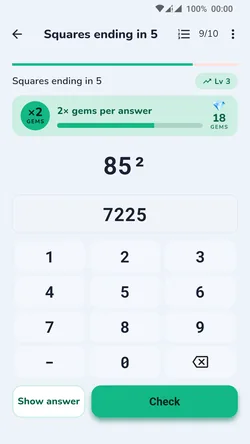


You bring the goal.
We help with the steps.
Coming soonMake everyday math feel easier.
Learn the shortcut, see every step, then build speed with fresh practice.
 Coming soon
A calmer path to ISEE & SSAT math.
Understand the method before facing the timer. See what needs more practice.
 Coming soon
Know the method. Build the pace.
Focused quant practice with worked solutions and a clear view of your weak topics.
 Coming soon
From your first bonjour, step by step.
Hear French, understand it, and review it. Keep learning wherever you have your phone.
Keep the outside digits. Add them for the middle.
4 + 3 = 7, so 43 × 11 = 473.
Now try 52 × 11. What goes in the middle?
Learn the shortcut, including carrying →1. Keep 5 on the left and 2 on the right.
2. Add the digits: 5 + 2 = 7.
3. Put 7 in the middle: 572.
A website sample of the method. Explore Math Magician for lessons and fresh drills.
Clear explanations before practice. A mistake points you back to the method.
Spaced review brings ideas back over time, so you can build on yesterday.
Lessons and practice work offline. Purchases and optional online features need a connection.
I'm Imran. I make these apps around a simple idea: you should understand the next step, not just be told whether your answer is right.
Questions or a suggestion? Your email reaches the person building the apps.
Say hello → Different goals. The same care.
Choose Math Magician for everyday arithmetic, SolveTrail for a child's ISEE or SSAT math prep, QuantRoute for GMAT or GRE quant, or Ascend for French. Each app page shows real screens and explains what is free.
All four apps are being tested ahead of launch. Check the app's page for its current availability. For an app that is still being tested, the launch-email link opens your own email app. Send the request to receive a launch update; clicking the link alone does not sign you up.
Yes. Math Magician's lessons, drills and review are free. SolveTrail and QuantRoute include a guide, one diagnostic mock and 3 practice sets. Ascend includes daily review, a level check and the first 16 lessons. Each app has optional paid extras; see its page for the offer.
Android phones and tablets, through Google Play. There is no iPhone version available yet.
No account is needed to start. Lessons and practice work offline. A connection is needed for purchases, restoring them and Ascend's optional backup, leaderboard and sentence mining. Usage counts can be switched off in the apps' settings. This website has no cookies; it counts visits with Cloudflare Web Analytics, which doesn't identify you.
No. SolveTrail, QuantRoute and Ascend are independent apps, unaffiliated with the exam organizations. Practice is designed to help you learn; results are not a guarantee of an exam score.
Find your app, see how it works, and decide if it fits you.
Choose my app